Reference
Objects and their properties
Everything pdfplumber finds on a page is a plain Python dictionary: a char, a line, a rect, a curve, an image or an annotation. This page lists every key each one carries in version 0.11.10, with real values from our sample files.
Short answer
page.chars, page.lines, page.rects, page.curves, page.images and page.annots are lists of dicts; page.objects holds all of them by type. Every object has x0, top, x1, bottom (coordinates), page_number and object_type, plus the type-specific keys below.
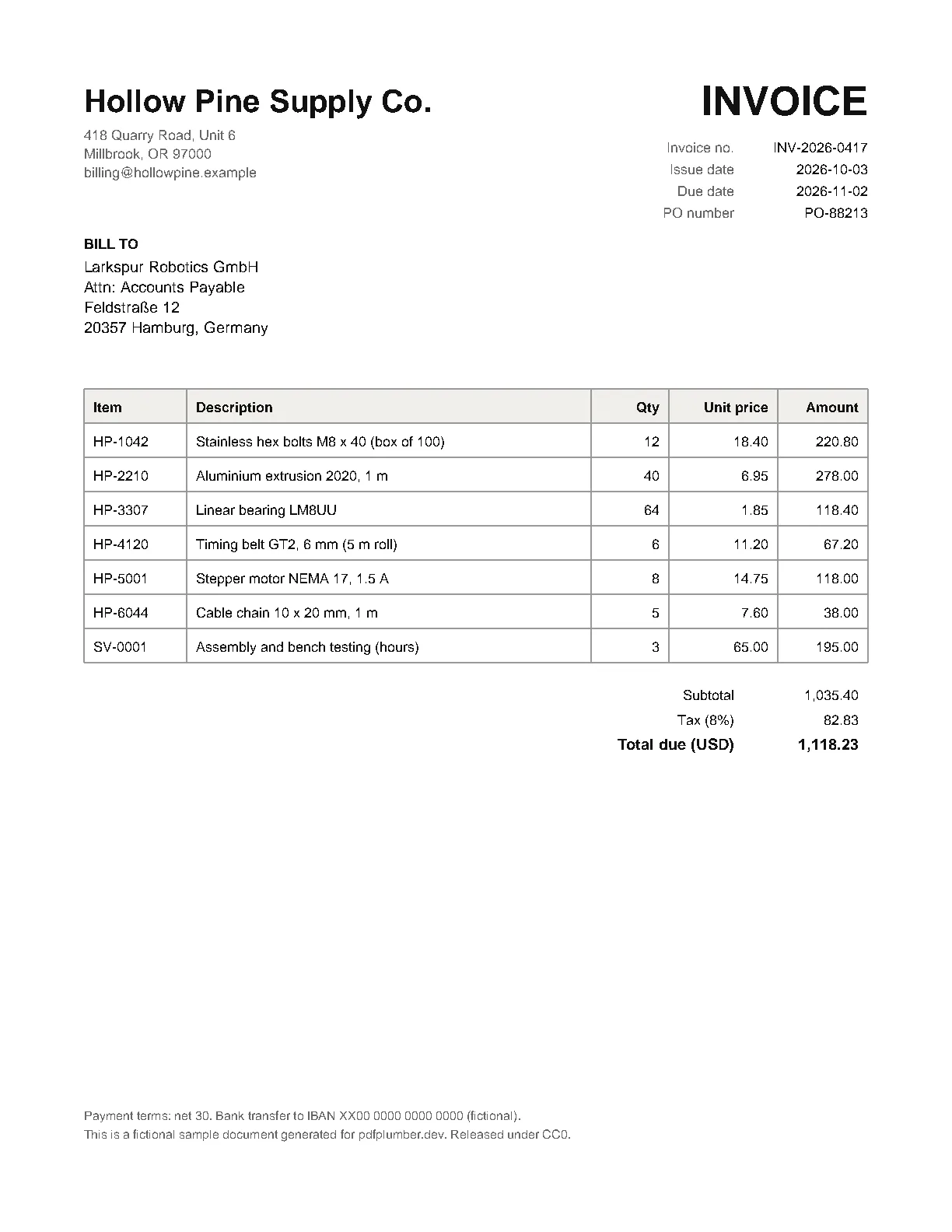
char
The first character of the invoice, every key included:
import pdfplumber

with pdfplumber.open("samples/invoice.pdf") as pdf:
    char = pdf.pages[0].chars[0]

for key in sorted(char):
    value = char[key]
print(f"{key:19} {round(value, 2) if isinstance(value, float) else value!r}")adv 14.44
bottom 76.14
doctop 56.14
fontname 'Helvetica-Bold'
height 20.0
matrix (1.0, 0.0, 0.0, 1.0, 54.0, 720.0)
mcid None
ncs 'DeviceRGB'
non_stroking_color (0.066667, 0.066667, 0.066667)
object_type 'char'
page_number 1
size 20.0
stroking_color (0,)
tag None
text 'H'
top 56.14
upright True
width 14.44
x0 54.0
x1 68.44
y0 715.86
y1 735.86| Key | Meaning |
|---|---|
text |
The character (a space is " "; undecodable glyphs are (cid:N)) |
fontname |
Font name as stored, often with a subset prefix like ABCDEF+ |
size |
Font size in points |
x0, x1, top, bottom |
Box from the top-left corner; height equals size |
y0, y1 |
Bottom and top measured from the page’s bottom edge |
doctop |
top plus the heights of earlier pages |
width, height |
Box size |
adv |
Horizontal advance: glyph width × font size × scaling |
upright |
False when the text is rotated or vertical |
matrix |
Current transformation matrix: scale, rotation and position (below) |
non_stroking_color, stroking_color |
Fill and outline colour (below) |
ncs |
Name of the fill colour space, e.g. DeviceRGB, DeviceGray, DeviceCMYK (exposed for chars only) |
mcid, tag |
Marked-content ID and tag in tagged PDFs (structure tree) |
Words are not stored in the PDF; extract_words() builds them from chars.
Colours
Colours are tuples of numbers between 0 and 1 in the colour space named by ncs (for fills): one value for grey, three for RGB, four for CMYK. The report sample uses four text colours and a yellow highlight rectangle:
import pdfplumber

with pdfplumber.open("samples/report.pdf") as pdf:
    page = pdf.pages[0]
    seen = {}
    for c in page.chars:
        seen.setdefault((c["ncs"], c["non_stroking_color"]), c["text"])
    for (space, colour), example in seen.items():
        print(f"{str(space):12} {str(colour):38} e.g. {example!r}")
    rect = page.rects[0]
print("rect fill:", rect["fill"], rect["non_stroking_color"], "| stroke:", rect["stroke"])DeviceRGB (0.4, 0.4, 0.4) e.g. 'H'
DeviceRGB (0.066667, 0.066667, 0.066667) e.g. 'A'
DeviceRGB (0.752941, 0.223529, 0.168627) e.g. '1'
DeviceRGB (0.121569, 0.356863, 0.847059) e.g. 'p'
rect fill: True (1.0, 0.952941, 0.65098) | stroke: FalseCompare colours exactly as reported, and check the set of values first: “black” text is often (0,) in a grey space, (0, 0, 0) in RGB, (0, 0, 0, 1) in CMYK, or a near-black like the (0.066667, …) above. Patterns and spot colours can appear as names rather than numbers. The official docs/colors.md has the full rules.
line and rect
import pdfplumber

with pdfplumber.open("samples/invoice.pdf") as pdf:
    page = pdf.pages[0]
    line = page.lines[0]
    print({k: line[k] for k in ("x0", "top", "x1", "bottom", "linewidth", "stroking_color")})
    print(len(page.rects), "rect(s) +", len(page.lines), "lines ->", len(page.edges), "edges",
f"({len(page.rect_edges)} from rect sides)"){'x0': 54.0, 'top': 250.0, 'x1': 558.0, 'bottom': 250.0, 'linewidth': 0.6, 'stroking_color': (0.6, 0.6, 0.6)}
1 rect(s) + 15 lines -> 19 edges (4 from rect sides)| Key | Meaning |
|---|---|
linewidth |
Stroke width in points |
stroking_color, non_stroking_color |
Outline and fill colour |
stroke, fill |
Whether the path is stroked and/or filled |
evenodd |
Fill rule |
dash |
([dash array], phase) for dashed lines |
pts, path |
The points and drawing commands that make the shape |
A line is any straight path segment; a rect is a rectangle drawn as one (table cell borders are often rects, not lines). page.edges combines lines with the four sides of every rect (rect_edges) and the segments of every curve (curve_edges), split into horizontal_edges and vertical_edges. Those are what the table finder works from.
curve
Curves add pts (points along the curve, as (x, top)), path (the full drawing commands, including Bézier control points) and fill. Charts, logos, rounded boxes and text converted to outlines appear as curves. Thousands of curves and no chars usually mean outlined text, which needs OCR.
image
import pdfplumber

with pdfplumber.open("samples/scanned-invoice.pdf") as pdf:
    image = pdf.pages[0].images[0]

for key in ["name", "x0", "top", "x1", "bottom", "srcsize", "colorspace", "bits", "imagemask"]:
print(f"{key:10} {image[key]}")name FormXob.6211e950b26a27486c359b5cf1d03322
x0 0.0
top 0.0
x1 612.0
bottom 792.0
srcsize (1275, 1651)
colorspace [/'DeviceGray']
bits 8
imagemask Nonesrcsize is the image’s own pixel size; the box is where it is drawn. stream is the raw pdfminer.six stream with the encoded data. Saving image files and rendering pages are covered on images.
annot and hyperlink
Annotations (links, comments, highlights, form widgets) are in page.annots; those with a URL are also in page.hyperlinks. Each has uri, title, contents and the raw annotation dictionary in data. The text under a link is found by position:
import pdfplumber

with pdfplumber.open("samples/report.pdf") as pdf:
    page = pdf.pages[0]
    for link in page.hyperlinks:
        text = page.within_bbox((link["x0"], link["top"], link["x1"], link["bottom"])).extract_text()
print(repr(text), "->", link["uri"])'pdfplumber.dev/cookbook/' -> https://pdfplumber.dev/cookbook/Rotation and the matrix
A char’s matrix is the PDF’s current transformation matrix (a, b, c, d, e, f). pdfplumber’s CTM helper turns it into readable values such as the rotation:
import pdfplumber
from pdfplumber.ctm import CTM

with pdfplumber.open("samples/real/nics-background-checks-2015-11-rotated.pdf") as pdf:
    char = pdf.pages[0].chars[100]
    ctm = CTM(*char["matrix"])
    print(char["text"], "upright:", char["upright"], "| matrix:", char["matrix"])
print("skew_x (rotation in degrees):", round(ctm.skew_x, 1))e upright: False | matrix: (0.0, -5.76, 5.76, 0.0, 534.7, 503.17536000000007)
skew_x (rotation in degrees): -90.0Use upright for a quick test and the matrix when you need the angle, for example to separate rotated axis labels from body text.
Layout objects from pdfminer.six
With laparams passed to pdfplumber.open(), pages also expose pdfminer.six’s grouping: textboxhorizontals, textboxverticals, textlinehorizontals and textlineverticals (example).