Independent guide · examples tested with pdfplumber 0.11.10
pdfplumber, explained and tested.
pdfplumber (sometimes written “pdf plumber”) is an open-source Python library that reads a PDF the way it was drawn: every character, line, rectangle and table cell, with its exact position on the page. This site shows how to use it, and every example is run against the real library.
$ pip install pdfplumber- 0.11.10latest release, 2026-06-14
- 54.2 MPyPI downloads in Oct 2026
- MITlicence, free for commercial use
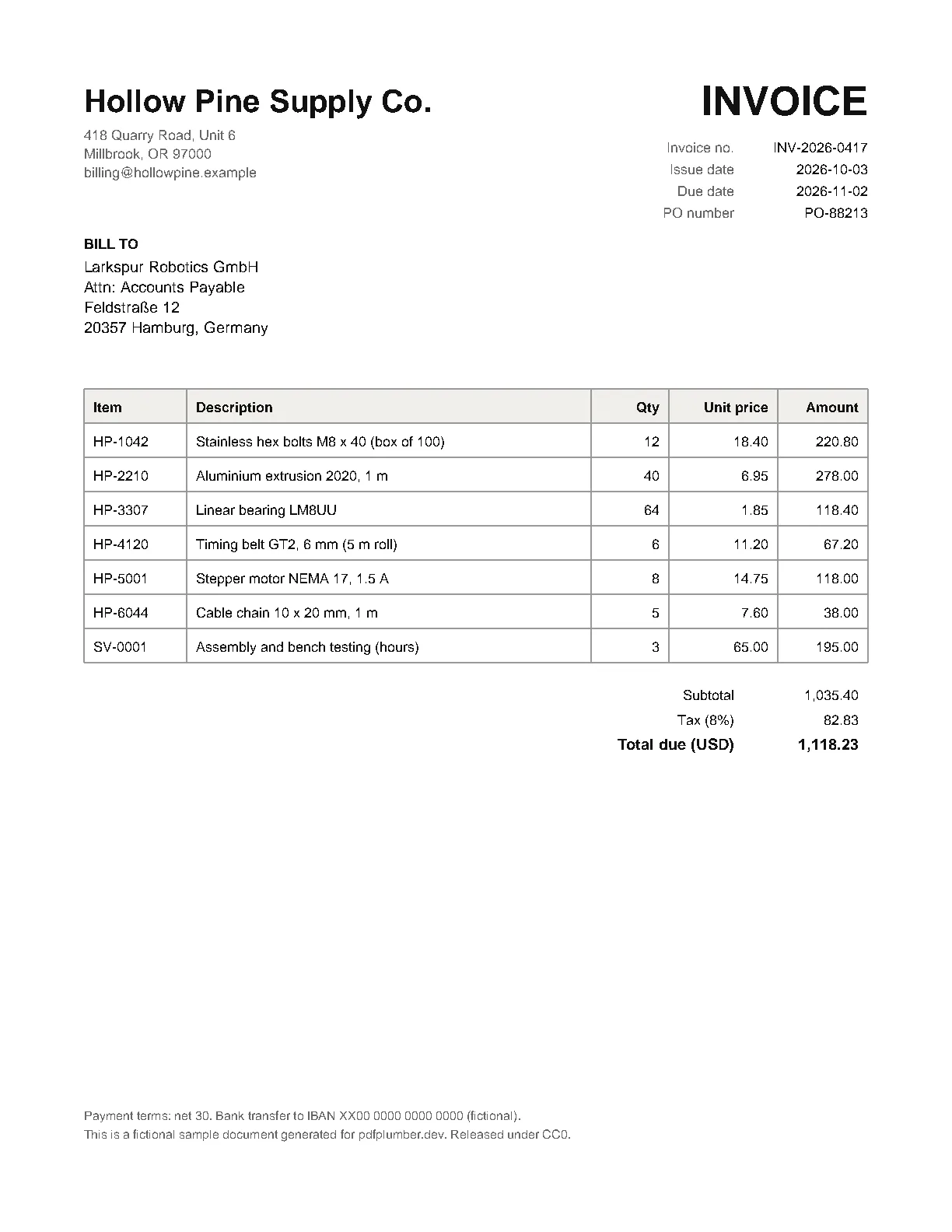
- Table cells · 40 cells
page.find_tables() - Lines & rects · 16 objects
page.lines + page.rects - Words · 151 words
page.extract_words() - Characters · 851 chars
page.chars - The page
pdfplumber.open("invoice.pdf").pages[0]
What it is
A geometry-first PDF reader
A PDF does not store paragraphs or tables. It stores drawing instructions: put this glyph at these coordinates, stroke a line from here to there. pdfplumber, written by Jeremy Singer-Vine and contributors, turns those instructions back into Python objects you can filter, measure and group.
It is built on pdfminer.six, which does the low-level parsing. pdfplumber adds the parts people actually need: words from characters, text with layout, cropping by coordinates, a table finder you can tune, and visual debugging that draws what it found on top of the page.
Because it relies on the text layer and vector graphics, it is exact on born-digital PDFs (exported from Word, Excel, LaTeX, reporting tools) and has nothing to read on scanned pages until you add a text layer with OCR.
60-second quickstart
Open a PDF, read text and a table
Download invoice.pdf (a fictional sample) and run this after installing pdfplumber. The output below was captured from this exact code.
import pdfplumber

with pdfplumber.open("samples/invoice.pdf") as pdf:
    page = pdf.pages[0]

    text = page.extract_text()
    print(text.splitlines()[0])

    table = page.extract_table()
    for row in table[:4]:
print(row)Hollow Pine Supply Co. INVOICE
['Item', 'Description', 'Qty', 'Unit price', 'Amount']
['HP-1042', 'Stainless hex bolts M8 x 40 (box of 100)', '12', '18.40', '220.80']
['HP-2210', 'Aluminium extrusion 2020, 1 m', '40', '6.95', '278.00']
['HP-3307', 'Linear bearing LM8UU', '64', '1.85', '118.40']Every word knows where it is
import pdfplumber

with pdfplumber.open("samples/invoice.pdf") as pdf:
    words = pdf.pages[0].extract_words()
    total = next(w for w in words if w["text"] == "1,118.23")
    print({k: round(v, 1) if isinstance(v, float) else v
for k, v in total.items() if k in ("text", "x0", "top", "x1", "bottom")}){'text': '1,118.23', 'x0': 513.1, 'x1': 552.0, 'top': 474.1, 'bottom': 484.1}Coordinates are in PDF points (1/72 inch) measured from the top-left corner of the page. How coordinates work →
Know before you start
What pdfplumber is great at, and what it is not for
| Task | pdfplumber? | Notes |
|---|---|---|
| Tables in born-digital PDFs | Excellent | Ruled tables work out of the box; borderless ones need column positions, from the text strategy or placed explicitly. |
| Text with positions, fonts and sizes | Excellent | Every char has x0, top, fontname, size, colours. |
| Cropping regions, removing headers and footers | Excellent | crop(), within_bbox(), filter(). |
| Seeing what the parser saw | Excellent | Visual debugging draws objects and table cells on the page. |
| Very large batches where speed matters most | Workable | Pure Python on top of pdfminer.six; slower than C-based libraries. Measured numbers. |
| Scanned PDFs (images of text) | Not alone | No OCR. Run OCR first, then use pdfplumber on the result. |
| Creating, editing, merging or splitting PDFs | No | pdfplumber only reads. Use pypdf for writing. |
Guides
Pick your task
Usage
Downloaded tens of millions of times a month
pdfplumber is one of the most-installed PDF libraries in Python. Monthly downloads from PyPI more than doubled between April and October 2026, much of it from servers and containers: about 91% of downloads come from Linux. It has 10,871 stars on GitHub.
About this site